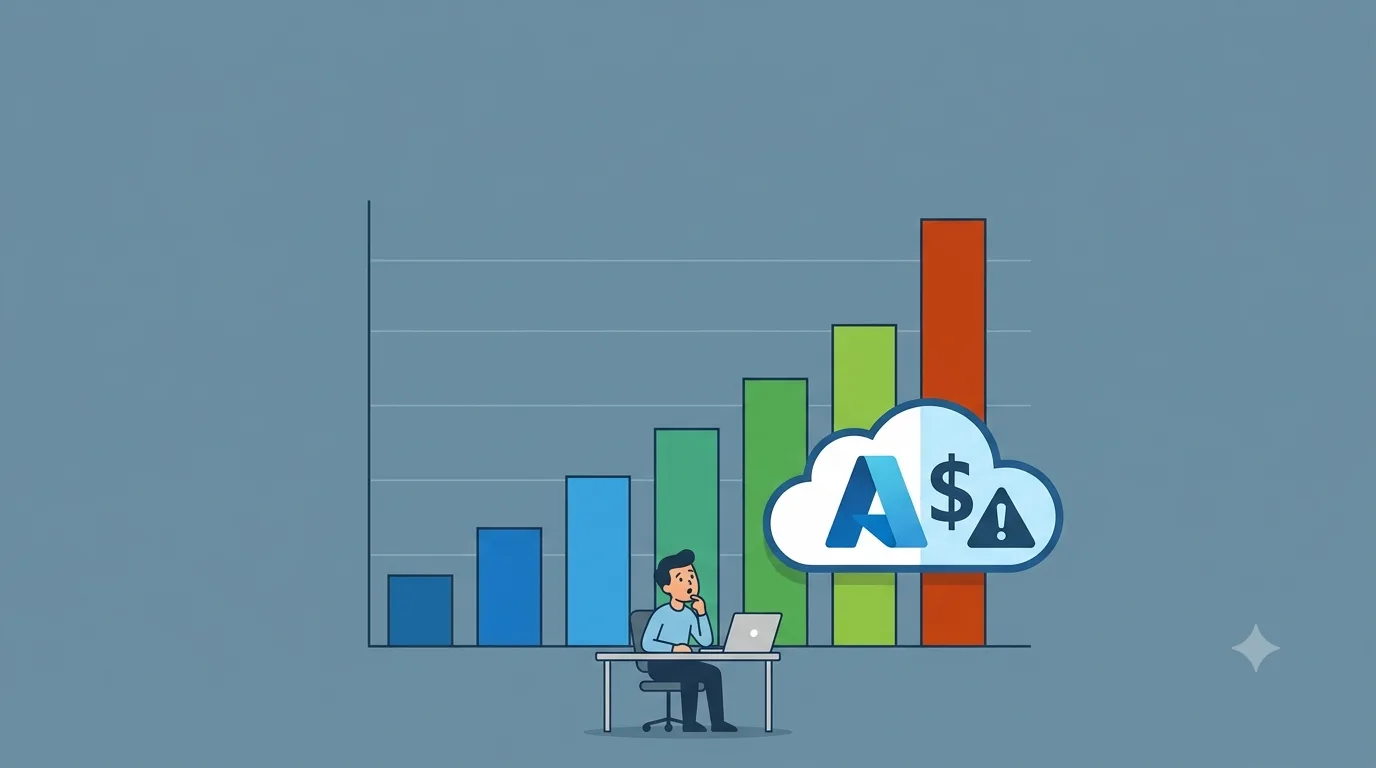
A post circulating on Reddit last week described someone waking up to a $47,000 Microsoft Azure bill after deploying a single Copilot Studio agent on pay-as-you-go billing through their Azure tenant. The comments filled up fast. Not with skepticism, but with people saying "this almost happened to us" and "nobody told me it worked this way." It is easy to dismiss these stories as exaggerated, but the pattern of near-identical situations across multiple independent users made this one hard to ignore, and a Microsoft engineer reportedly showed up to personally investigate, which is not something that happens when a complaint has no merit.
This is not a post about fear-mongering or steering anyone away from Microsoft Copilot Studio. It is a genuinely powerful platform for building custom AI agents, and small and mid-sized businesses are getting real value out of it. But the billing model has specific mechanics that are not obvious on first deployment, and understanding them before you go live can be the difference between a manageable monthly expense and a five-figure surprise on your Azure invoice.
How Does Copilot Studio Billing Actually Work?
Copilot Credits are a measure of the time and effort required for your agent to retrieve information and respond to prompts and any actions it takes. The number of credits consumed for each response or action depends on the complexity of the task the agent completes. Since September 2025, agent billing runs on Copilot Credits rather than messages, and one interaction can cost anywhere from 1 credit to 100 or more, depending entirely on agent design. A single credit costs $0.01 pay-as-you-go or $0.008 in a prepaid pack.
The credit consumption breakdown looks like this: 1 credit for a scripted answer, 2 for a generative AI answer, 5 for an agent action, 10 for tenant graph grounding, and 100 per 10 responses for reasoning models. Those numbers stack within a single interaction. For example, an agent grounded in a tenant graph could use 12 Copilot Credits to respond to a single complex prompt: 10 credits for tenant graph grounding and 2 credits for the generative answer.
Switch that same agent over to a reasoning model, and the picture changes dramatically. A tenant-graph-grounded agent response can exceed 112 credits when a reasoning model is involved, because the reasoning meter is charged on top of everything else. One credit buys a scripted FAQ answer, but a single reasoning-model response costs 100 credits. The same agent can run $8 per month or $800 depending entirely on how it is built.
What Makes Pay-As-You-Go on Azure Particularly Risky
There are three ways to pay for Copilot Studio: prepaid credit packs at $200 per month for 25,000 credits, pay-as-you-go billed directly through an Azure subscription, and an annual pre-purchase commitment plan. When you enable pay-as-you-go billing by linking an Azure subscription to your Copilot Studio environment, enforcement does not apply because any overage is billed directly to your Azure subscription. That is the critical difference. With prepaid packs, Microsoft enforces capacity limits, and tenants that exceed 125% of prepaid capacity can face agent disablement until capacity is increased or pay-as-you-go is engaged. With pay-as-you-go, there is no ceiling. The meter runs, and the bill follows at the end of the month.
Budget alerts exist and they are useful, but they are informational tools, not guardrails. They will tell you when you have hit a threshold, but they will not stop an agent from continuing to consume credits. Public-facing agents with no session controls can accumulate thousands of credits per day without warning. A customer support agent launched on a website without usage governance can generate a significant Azure bill before your team notices.
The Cost Multipliers Hidden Inside Agent Design
The Reddit thread that sparked this post included a few specific examples that illustrate exactly how these situations escalate. One user burned through 75,000 credits in three days after a Dataverse query got stuck in a loop with no exit condition. Another watched 30,000 credits balloon to 90,000 because an email-triggered flow started firing emails at itself. These are not fringe edge cases; they are the predictable result of deploying autonomous agents without configuring the controls that prevent runaway loops.
Every time an agent triggers itself without a human in the loop, that is 25 credits before it has generated anything. An agent that polls a mailbox or a queue every few minutes can fire thousands of autonomous triggers a day, each one metered, each one stacking grounding and reasoning charges on top.
The agents that deliver the most value, those that are autonomous, reasoning-capable, and grounded in your tenant data, are precisely the ones that consume credits the fastest. That is not a design flaw; it is just the nature of more sophisticated AI doing more sophisticated work. The problem is not that these agents exist. The problem is deploying them without the cost controls that match their capability.
What Guardrails Should Be Configured Before Go-Live
The good news is that Microsoft has built meaningful controls into the platform. Most teams deploying Copilot Studio agents on their own never configure them, often because they did not know those controls needed to be configured in the first place. Here is what should be in place before any agent goes into production:
Per-agent monthly credit caps: You can set monthly consumption limits for individual agents in the Power Platform admin center by navigating to Licensing, then Copilot Studio, then Manage Agents, which lets you cap credit usage before enforcement is triggered.
Per-user spending limits: You can set a monthly limit for individual users to prevent a single person from spending all available credits, and while this is optional, it is worth configuring to prevent runaway spending by one individual user.
Azure cost alerts: Configure consumption alerts and an approval workflow or automatic caps in the Power Platform Admin Center to prevent runaway consumption, and use Azure cost alerts specifically for pay-as-you-go charges.
Selective use of tenant graph grounding and reasoning models: Tenant graph grounding is optional per agent and costs five times more than a generative answer. Turn it on where relevance pays for it, not by default.
Loop and exit conditions in autonomous agents: Any agent that operates autonomously or responds to triggers like incoming emails or queue events needs explicit exit conditions and failure states. Without them, a looping connector can fire indefinitely.
Separate environments for development and production: Keep development, testing, and production deployments in separate environments so a misconfigured test agent cannot drain the same credit pool your live agents depend on.
Why This Is Particularly Important for Small Businesses
Enterprise teams with dedicated FinOps functions and cloud governance teams can absorb a billing surprise, investigate it, and put controls in place. For a small or mid-sized business, a $47,000 Azure bill arriving at the end of the month is not a learning opportunity. It is a crisis. The platform is powerful, the tools to govern it exist, and the documentation is thorough once you know where to look. But the gap between "deploy an agent" and "deploy an agent safely" is wide enough that going it alone carries real financial risk.
Working with a certified Microsoft Partner before deploying Copilot Studio into a production environment is the most reliable way to ensure that the guardrails are in place from the start. A good partner will help you choose the right billing model for your usage profile, configure per-agent caps, review agent design for cost risk, and set up monitoring before the first real user interaction happens. The practical approach is to read the credits report weekly, set per-agent caps, review agent design for cost, and watch the 125% enforcement cliff if you are on a prepaid plan.
The capability Microsoft Copilot Studio puts in front of small businesses today would have required a development team and a six-figure budget just a few years ago. That is genuinely exciting. Treating the billing model as an afterthought is the only version of this story that ends badly.
I shared a shorter take on this over on LinkedIn, where plenty of people replied with near-misses of their own. Worth a read through the comments.