The full Step by Step is available at the bottom of this post.
I got cold dm’d on Reddit again last week from someone trying to sell me their Reddit Agent that would not only find me leads on Reddit but respond to them.
I get 1-2 of these offers in my Reddit Inbox every week.
So I figured I may as well build this myself. Now this Sub Reddit agent does NOT respond to anything, but it does go out and find relevant posts and conversations in your chosen sub reddits.
BUT you should be able to build this in a few hours max if you follow the instructions and have your Reddit API key and Open AI API key ready.
I had already been using F5 Bot which is a great Free tool that lets you drop an email address and subscribe to notifications based on keywords. There are a few customization options but its pretty basic.
Still, if you want to monitor some keywords across Reddit you should definitely check it out at https://f5bot.com/
But we needed a bit more flexibility with the data and what we monitored so we wouldn't get inundated with posts and comments.
So I thought. What a perfect project for our Resources and Templates section of the site.
Turns out, it was a fun weekend project that actually works pretty well.
The concept is simple: monitor subreddits relevant to your business , use AI to analyze posts against your services, and get notified in Slack when there's a relevant conversation.
For our fictional Microsoft partner, we went with the MSP Subreddit where it picks up discussions about cloud migrations, security issues, and IT challenges - the stuff they actually help with.
The workflow has 7 steps:
Monitor chosen subreddit
Fetch new posts via Reddit API
AI analysis against company profile
Score relevance/priority
Filter high-value opportunities
Format notification
Send to Slack/Teams
What I learned: N8N's AI nodes make this kind of automation surprisingly accessible. You don't need to be a developer - just need to understand your business and write decent prompts.
Is it perfect? No. But you can keep adding to it and tweaking it to make it perfect for you and your business.
I documented the whole build process and put the template on our site. Feel free to grab it, modify it, or just use it as inspiration for your own automation projects.
Sometimes the best tools are the ones you build yourself. 🛠️
Reddit Monitoring Automation: 7-Step Build Guide
Step 1: Create Your Foundation
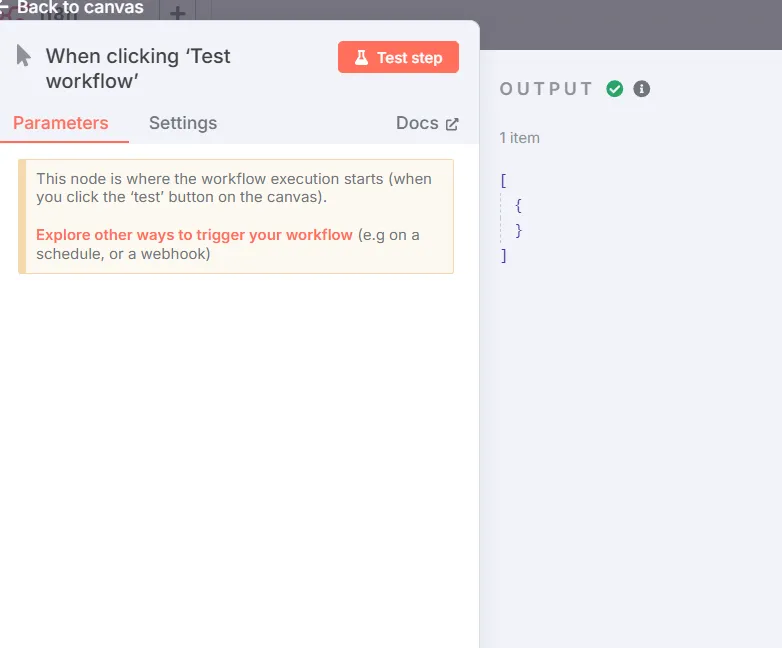
Trigger
Start with a blank N8N canvas and add a Manual Trigger node. This serves as your workflow's starting point, allowing you to test the automation before scheduling it. No configuration needed here — it's simply your launch button.
Step 2: Configure Reddit Integration
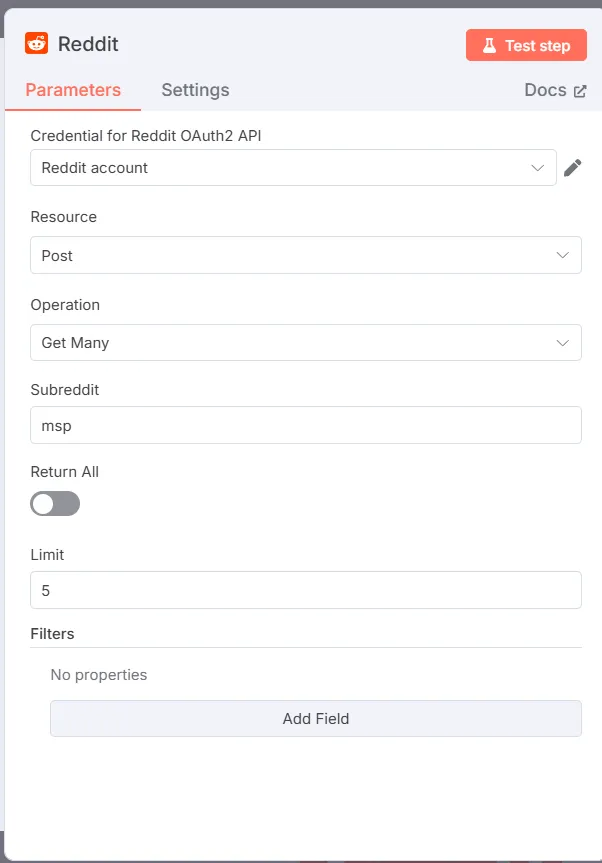
Reddit Node
Add the Reddit node using the "Get Many Posts" operation. This is where you'll:
Select your target subreddit
Set a post limit (recommended: 10-25 for testing)
Configure your Reddit API credentials
Getting Reddit API Access:
Note: Reddit introduced new requirements for API access as of June 2026, so the signup steps and approval process may differ from what's shown below. Check Reddit's current developer terms before you start.
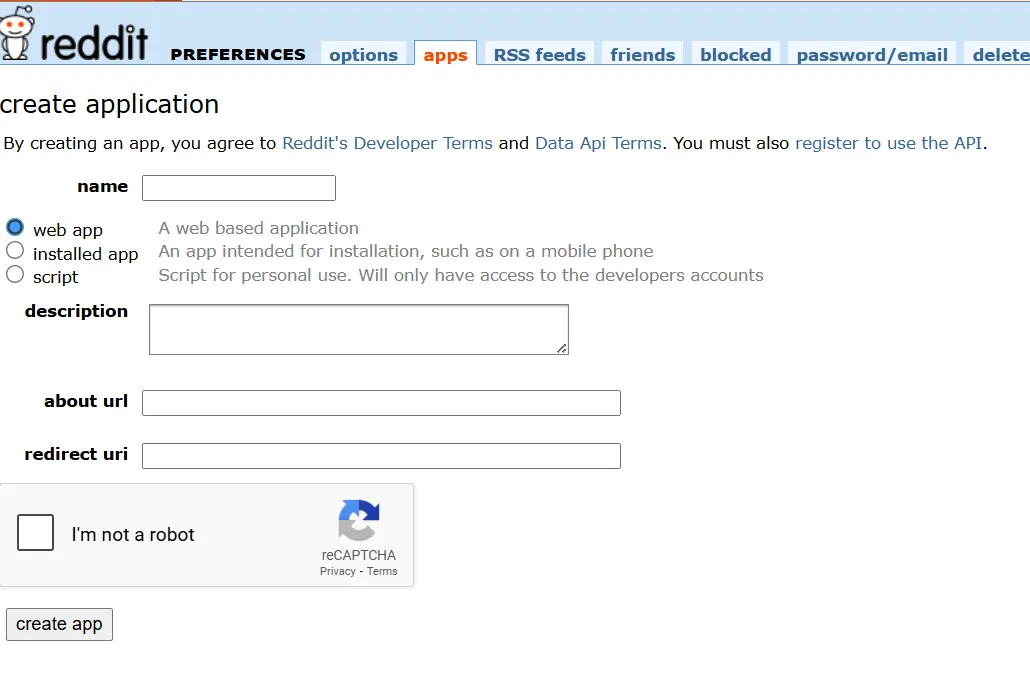
Reddit API
Navigate to your Reddit account settings → Privacy → 3rd Party Apps. Create a new app, grab your Secret Key and App ID. This authentication allows N8N to read posts on your behalf.
Step 3: Structure Your Data
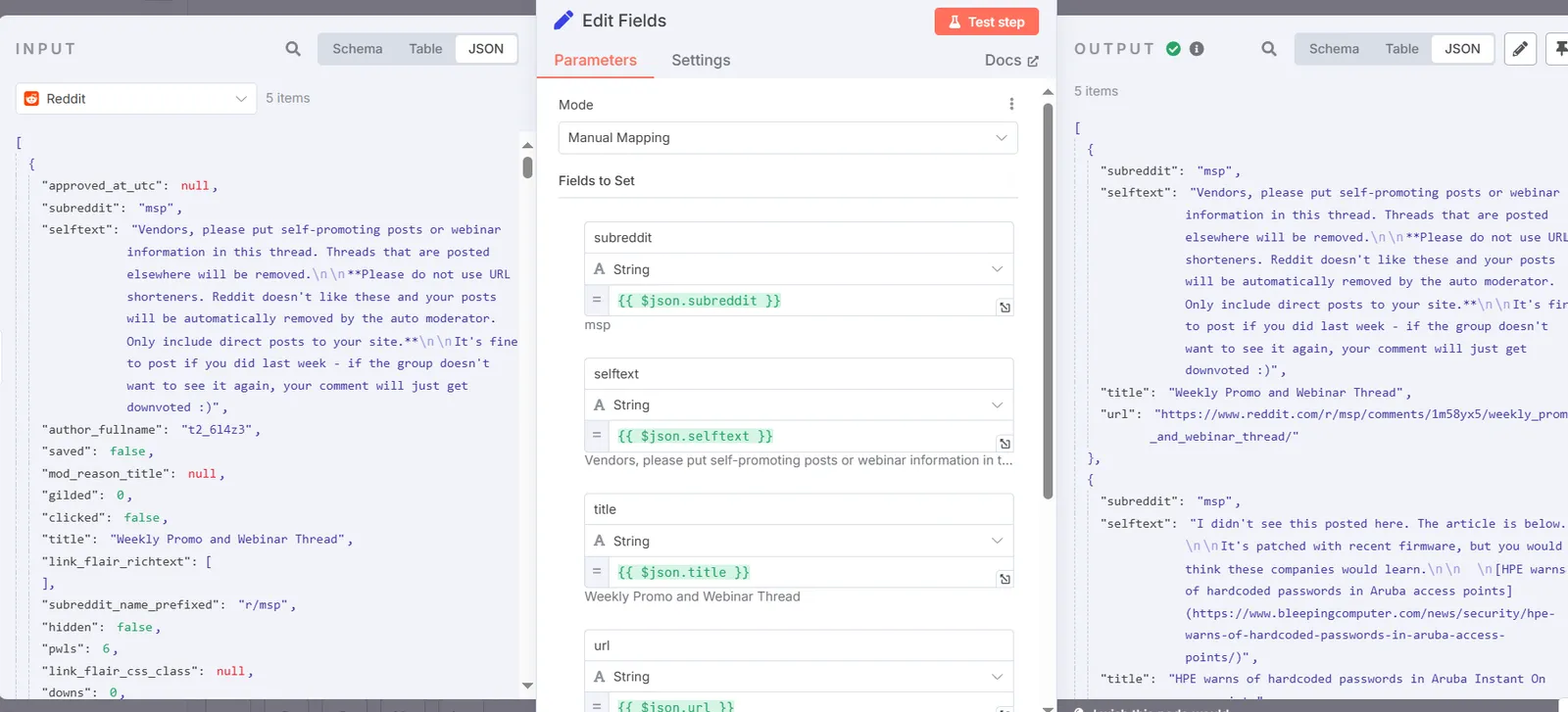
Set Node N8N
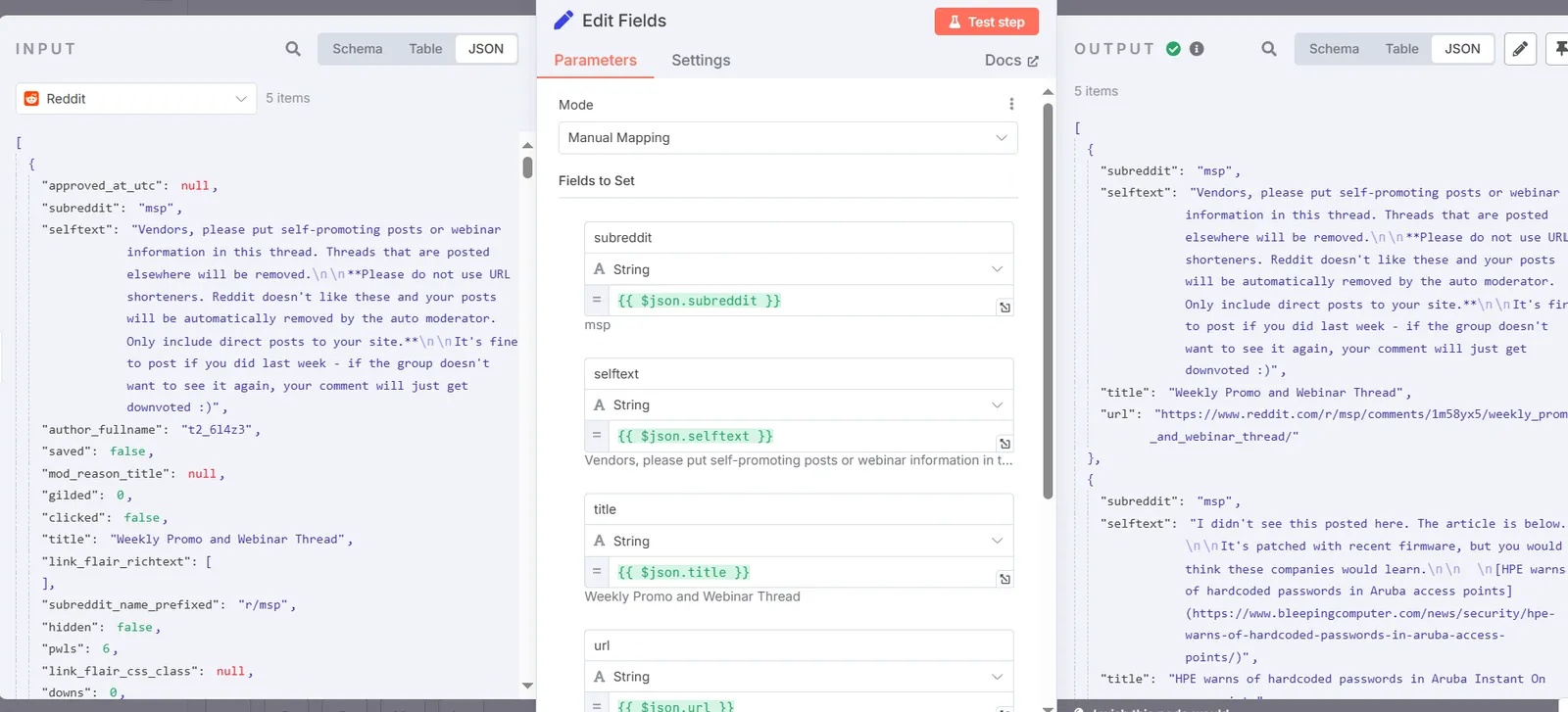
Insert a Set node to extract and organize the key information from each Reddit post:
Post URL for direct access
Title for quick scanning
Any additional metadata you need
This creates clean, structured data for the AI analysis.
Step 4: AI-Powered Analysis
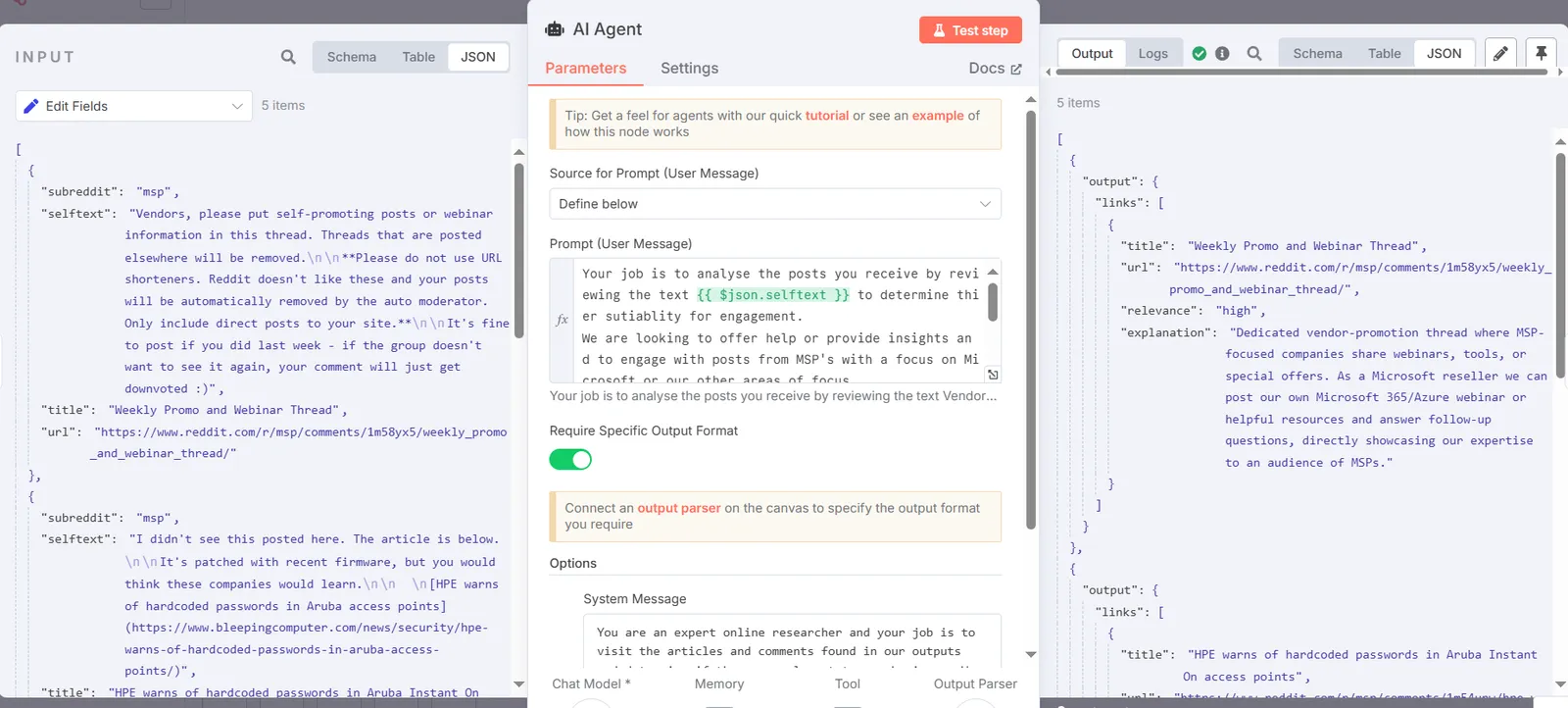
AI Agent N8N
Connect an AI Agent node (using OpenAI or your preferred model) to analyze each post against your company profile. The AI evaluates:
Relevance to your services
Urgency of the opportunity
Alignment with your expertise
Configure detailed prompts that understand your business context.
Step 5: Smart Categorization
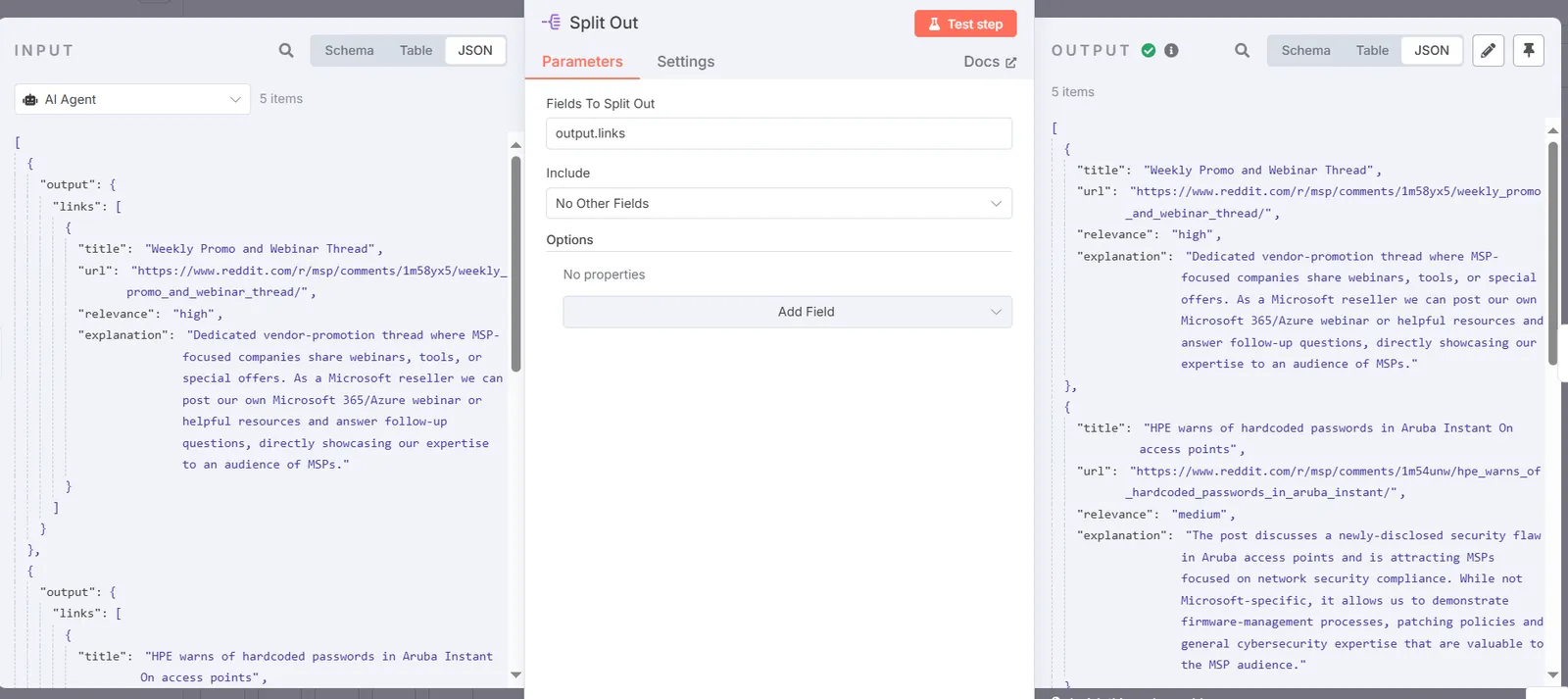
Split Node n8n
Add a Split node with an output parser to separate posts by priority level. This ensures your team sees the most relevant opportunities first, with clear labels like:
High Priority: Direct service match
Medium Priority: Adjacent opportunity
Low Priority: General discussion
Step 6: Final Formatting
Set Node
Use another Set node to prepare your notification message with all essential elements:
Priority level
Post title and summary
Direct link to Reddit
AI's relevance assessment
Step 7: Teams/Slack Notifications
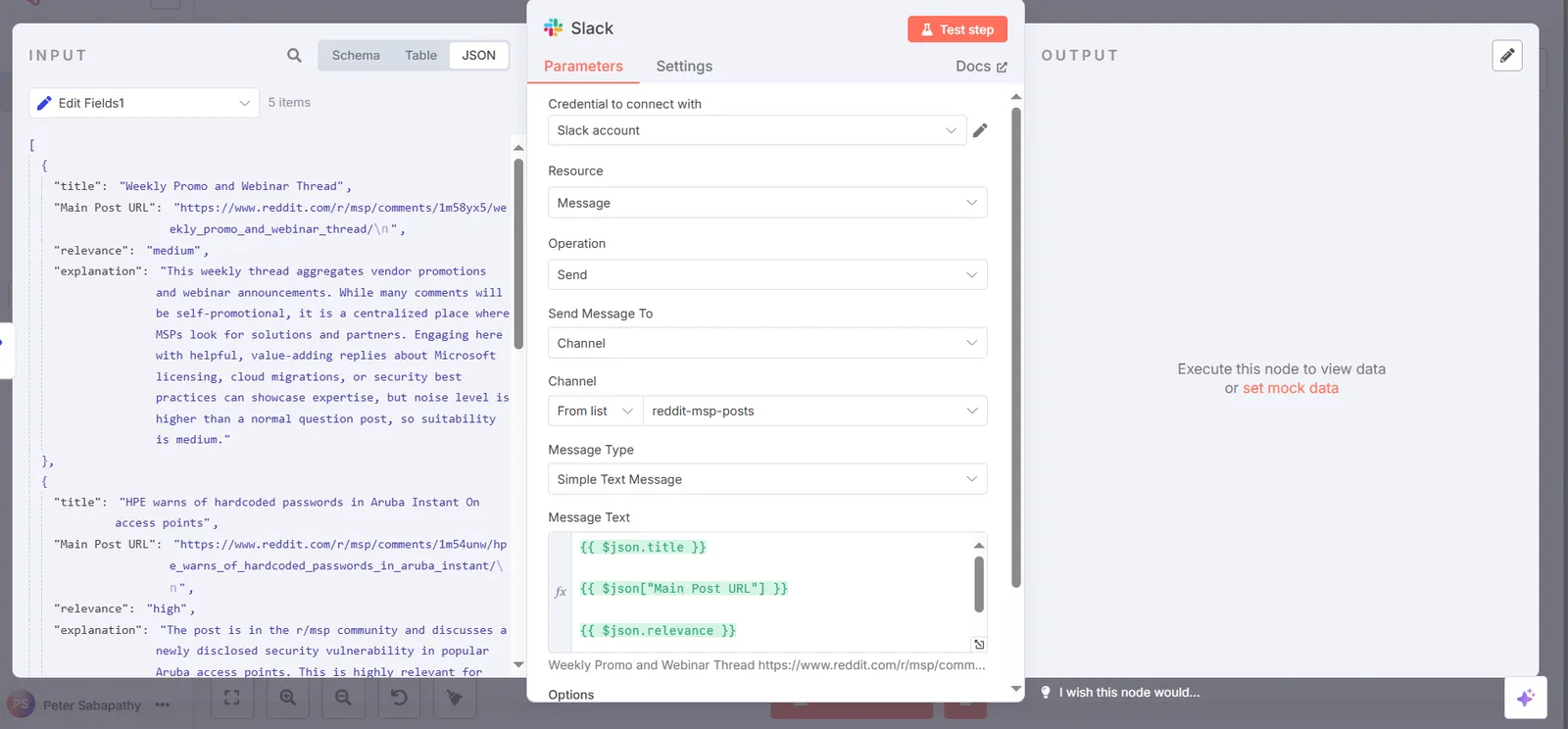
Slack Node
Choose between Slack or Microsoft Teams nodes (or both). Configure as HTML messages to include:
Color-coded priority indicators
Clickable links to posts
Clear action items
Relevance reasoning
Format messages for maximum readability and quick action.
Pro Tips:
Test with a small post limit first
Refine your AI prompts based on initial results
Schedule the workflow to run every few hours
Monitor which subreddits yield the best opportunities